Very slow network speed on WSL
WSL: Ubuntu 24.04
I just installed WSL on Windows 11 and also installed Ubuntu 24.04.
But I noticed that in WSL, Ubuntu has a dramatically lower network speed (wget or git clone). Download speeds on WSL seem to be about 10-20 kb/s, whereas Windows download speed is 100 Mbps.
Metrics can be got from speedtest-cli
$ sudo apt install speedtest-cli
$ speedtest-cli
1. Root Cause:
While being helpful detecting some common Windows malwares, Windows Defender in GNU/Linux side it’s so inefficient and actually unhelpful.
Every time you try to access/read/write some file/folder, Windows Defender intercept WSL requisition for antivirus scanning, slowing down things until you hate everything in WSL!
2. Solution
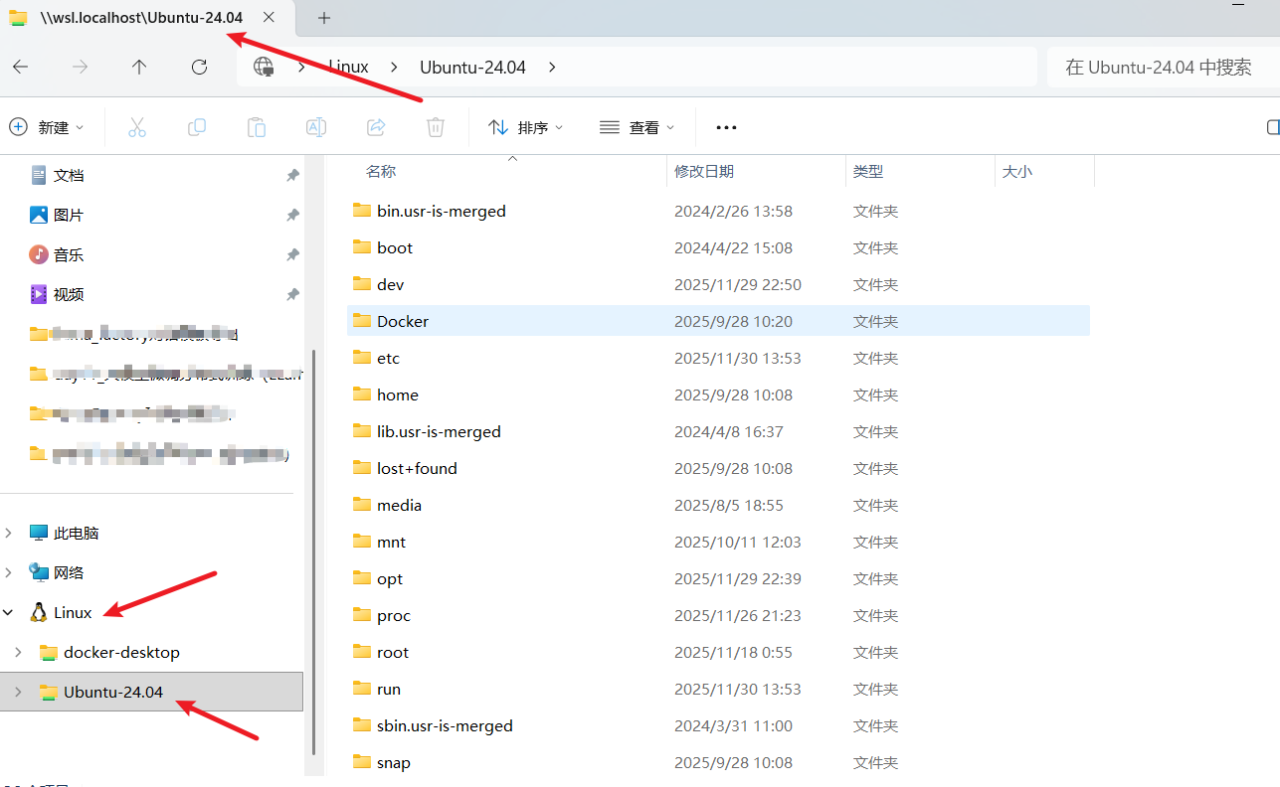
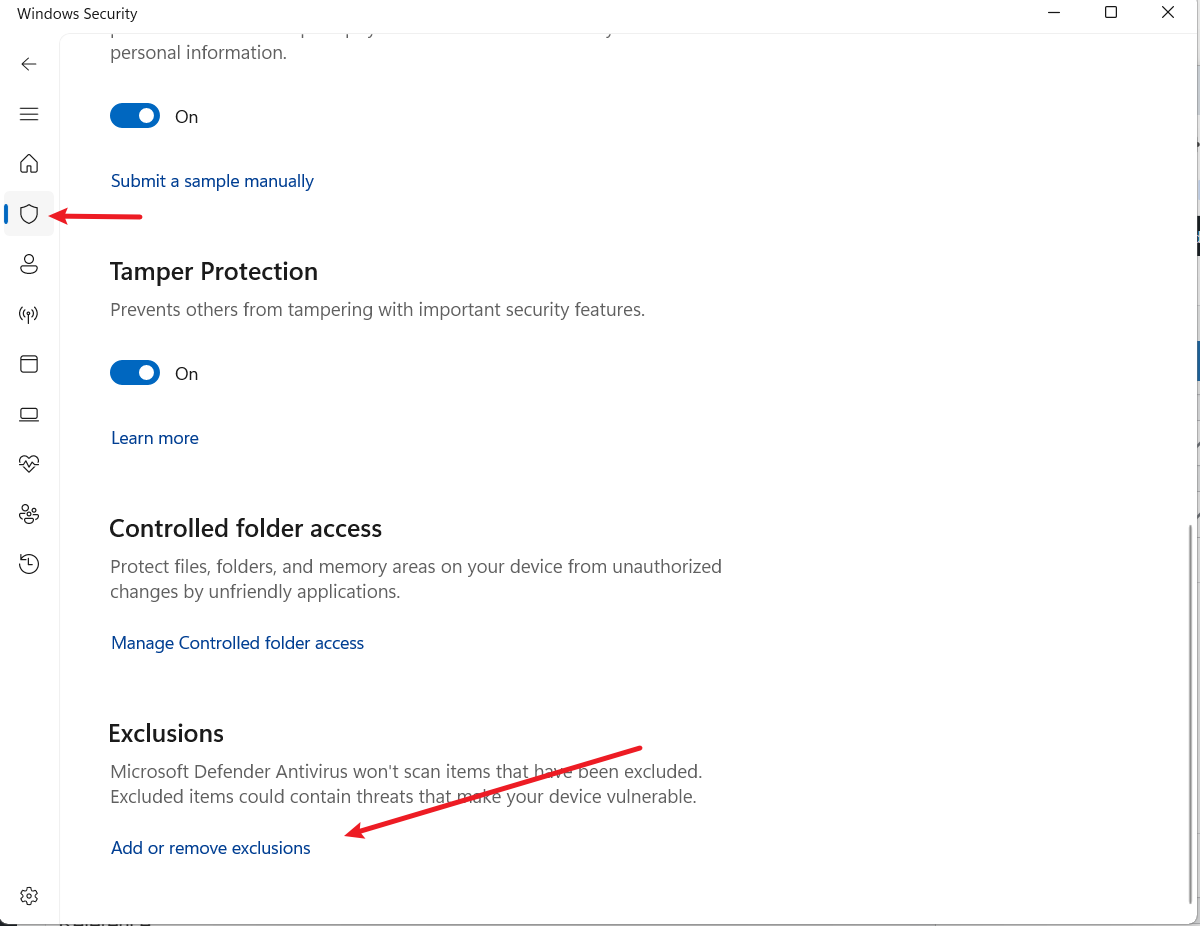
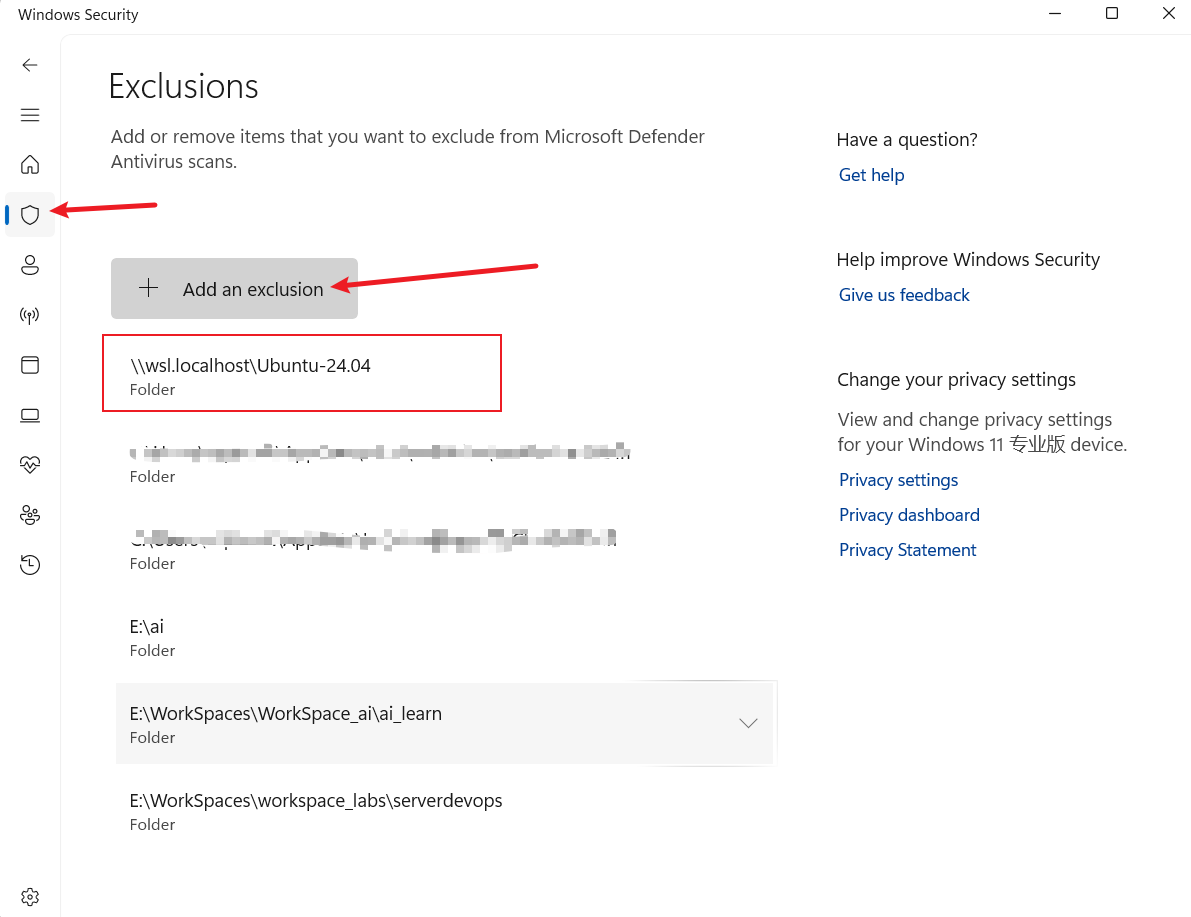
go to Settings > Update & Security > Windows Defender > Open Windows Defender Secutiry Central > Protection Against Viruses & Threats > Advanced Config… > Exclusions > Add or Remove > Add > Folder and finally paste the Ubuntu path.
- Find the Ubuntu or other VM where you installed in WSL.
2. Go to Windows Defender Secutiry Central.
3. Add the VM path into the Exclusions.
4. Enjoy the high-speed downloading in WSL again.
Reference:
https://github.com/microsoft/WSL/issues/4901
Speeding up WSL I/O up than 5x fast + saving a lot of battery life & CPU usage


![[汇总]端侧模型](https://www.mobabel.net/wp-content/themes/hueman/assets/front/img/thumb-small-empty.png)